|
Our Website's History
Starting in late 2001 as a means of showcasing our travel images to family and friends spread
throughout the world, our site has evolved into what it is today.
Gosh, thinking back, originally our site was constructed
using no less than two frame sets! The image galleries had
clickable scrolling thumbnails along the bottom which could be clicked
to display a larger version, together with comments, above.
It soon dawned on us that our site was being used by
others planning their own UK leisure activities - so we opened up our
own travel research and added the UK tourist
resources page.
In 2003 we decided to create the image pages with
multiple pics on each page and comments underneath. And the
following year with increasing broadband usage we edited our videos into longer clips and
commenced our leisure product
reviews; starting with our PMR
taklie-walkie, then our handheld Sat
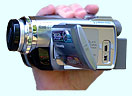
Nav receiver in 2005, a camcorder
in 2006, digital camera in
2008, more two way radios
in 2010, and smartphone
and Android apps in 2013.
With our increasing knowledge we ramped up the search
engine optimisation (SEO) during 2005 and also started to bring the
site coding in line with current web standards of the time and,
finally(!), ditched the framed site architecture in 2007,
re-structuring the site's sprawling directory structure at the same
time.
Just prior to the 2008 UK tourist season we launched our
tourist
news blog and started a move to a more commercial footing by
opening up a UK tourism industry
advertising facility.
An SEO revisit and another DMOZ submission in 2009
(accepted this time) resulted in a dramatic doubling of site visitors a
short while later.
In early 2010 we finally got around to ditching the
heavy grey background pattern/yellow text (likened to the sun trying to
peak through on a dull day - gulp!) for a soft blue; creating an image
of a clear blue sky and warm sunny days - much more appropriate for a
tourism website! And we added a new feature page all about our Geocaching pastime and a social share button
on all pages.
Following a number of enquiries we realised we now had
a large archive of tourism images so launched a further commercial
venture in early 2011 - royalty-free
image purchases. And over the winter 2011/12 we revisited
every one of our (then) 83 image gallery pages (phew!), rewriting some
content and carrying out other improvements we identified. And we
did the same again winter 2013/14 but with an increased 91 pages!
The following winter 2014/15 saw us upgrade the site's
Google Analytics to Universal Analytics and update the Add This social
share facility. We looked into bringing the site into line with
responsive design and made some improvements to page speed and added an
xml sitemap.
Over winter 2015/16 we ditched the commercial aspects
(ads & RF image sales) and made further technical
improvements. As now a non-commercial site we decided not to
pursue further the huge amount of work necessary to make the site more
mobile-device friendly (yes, that responsive design), leaving the site
as a well-established resource for UK tourism, leisure and study.
Despite the site's now seriously dated design and less
favourable search engine positions than previously, we still manage to
attract many thousands of visitors each month. Developed in the
early millennium and with our 20th birthday now passed in 2021,
we've decided to not add any new content. But we will still
maintain the site and add / update existing image galleries as we
revisit previously visited areas.
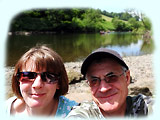
 Mike Mike
|
Our Images & Video
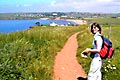
We carefully select, enhance and optimise all our tourist and leisure images to place in our
galleries, with some of 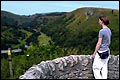 the larger galleries spanning a
number of pages. Below each image we provide a few comments,
sometimes amusing and usually useful for our fellow UK tourists. the larger galleries spanning a
number of pages. Below each image we provide a few comments,
sometimes amusing and usually useful for our fellow UK tourists.
Images in many of our older (pre 2002) galleries were
derived from video footage, so the quality is not as good as proper
photographic or digital images. The source of later, post 2001
galleries is from our 35mm and digital stills cameras. All
galleries post 2004 are digitally derived. 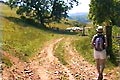 And from 2009 we increased the size and went for a wider
aspect ratio of our gallery images to better suit today's larger, wider
screen resolutions. And from 2009 we increased the size and went for a wider
aspect ratio of our gallery images to better suit today's larger, wider
screen resolutions.
We hope you enjoy our UK leisure and tourist images!
Now our video. Well, back in the dark days of
dial-up and prehistoric internet speeds we could only provide short
clips that wouldn't take an age to download. The later, post
2004, clips contain longer running edited clips better suited to
broadband.
To play our videos a browser plug-in is required, such
as Windows
Media Player, QuickTime or Real Player. In the unlikely event you don't
already have one you should be prompted to download and install when
attempting to play the video. Alternatively, we recommend the
excellent VLC media
player.
We've not added any more video content since 2006
pending a re-think in view of the abundance of online tourism video now
available on the web. If we resuscitate this we'll probably go
the YouTube path. For now though we're concentrating on our
images.
 Belinda Belinda
You can email us from here >
|